
Consistent characters in AI children's book illustrations
Approve a character reference before illustrating the story. Then compare the same person or animal across pages while allowing their expression, pose and lighting to change.
Generation requires a paid subscription. Compare plans for editing and export options.
See what carries across scenes
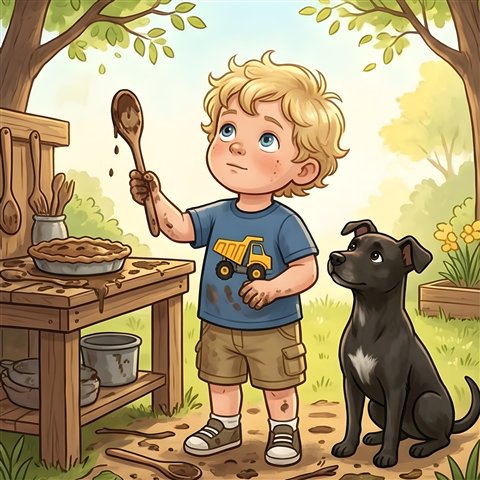
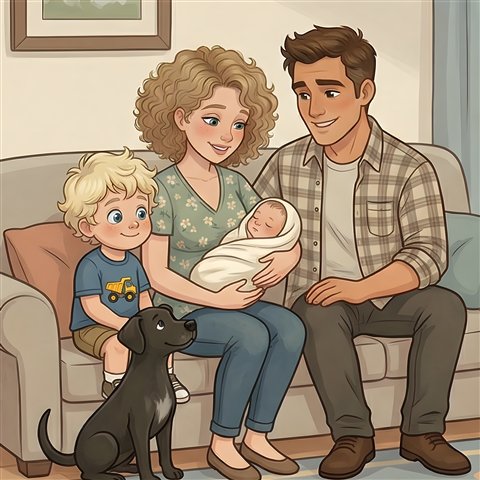
Oscar appears outdoors and later with his family. The angle and setting change while his blond curls and blue truck shirt help readers recognize him.
Make a continuity card for each recurring character
Record the face and hair shape, typical clothes, proportions next to other characters, and any prop the story needs. Keep optional details separate so you can change the pose and expression without asking for a rigid copy.
Sample entry. Nia has a round face, short dark curls and yellow rain boots. The red scarf is present through page 6 and gets left behind on page 7. In side views the same boots and silhouette should make her recognizable.
Start with the character sheet review workflow before generating the full set.
Triage changes before fixing a page
- One detail drifted. Use a targeted edit when the action and composition already work. Name the detail and the parts to retain.
- The scene tells the wrong story. Clarify the action, angle and which character does what, then regenerate the scene.
- Several scenes disagree with the same reference. Review the character sheet and the repeated prompt details before repairing pages one at a time.
See the editing walkthrough with an actual scarf correction.