
AI children's book cover generator
Create a cover as part of your illustrated book in MyStoryBot. Start with the main character, a short title and one moment that captures the story. Review the cover beside the interior before you share or print it.
Generation requires a paid subscription. Compare plans for editing and export options.
See the cover next to the first spread
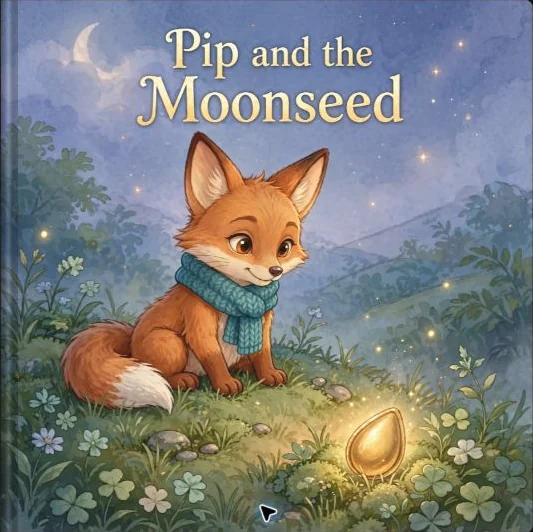
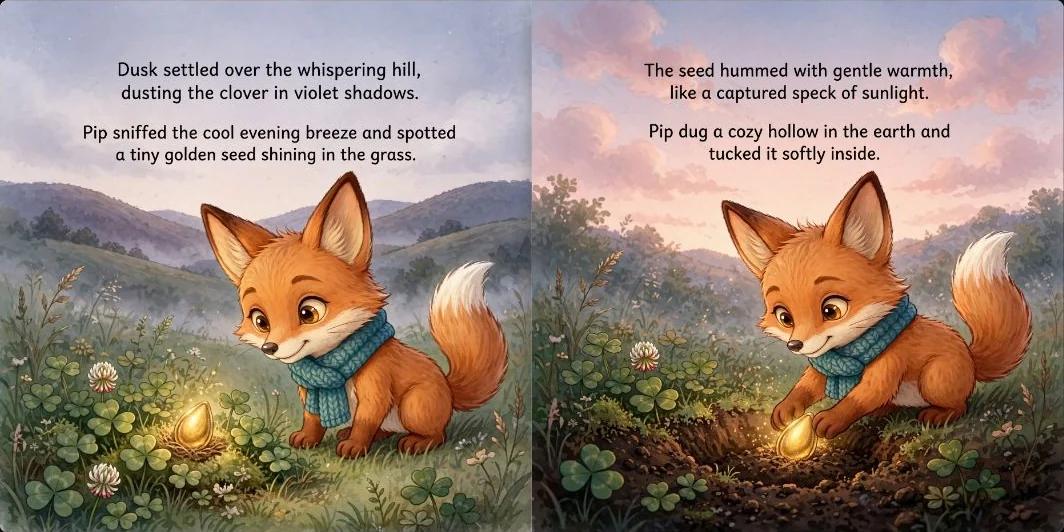
Pip and the Moonseed was made with MyStoryBot. The cover introduces the rabbit and the story’s nighttime palette. The opening spread gives the action more room and places the story text where it can be read comfortably.
Write a cover brief you can judge
- Pick one image for the cover. Choose the moment that tells a reader what kind of story this is. A rabbit looking up at a seed in moonlight suggests a quieter adventure than a crowd of characters in motion.
- Reserve space for the title. Choose a quieter patch of sky or background. Shrink the finished cover to a phone thumbnail and check the title and main silhouette again.
- Proof the title and compare the cast. Check exact spelling, lettering contrast, and the character’s face and outfit against an interior page. If one detail drifts, request a targeted edit where your plan supports it.
Sample brief. A small rabbit in a blue scarf holds a seed in a quiet moonlit garden. Match the rabbit’s ears and scarf to the interior art. Leave an open area above the rabbit for the title.
Choose the file for how you’ll use it
A front cover is enough for a digital preview. A paperback cover needs a wrap with back, spine and front. MyStoryBot’s Pro Author plans include KDP export and the spread layout designer. Use your printer’s template to check the wrap after the page count is final.
See an exported cover wrap and interior PDF. Check trim, bleed and safe margins.