
Build one illustration style for a children's book
Choose an art direction you can carry from the cover to busy and quiet scenes. Record a few visual rules that describe how the artwork looks, then let each spread have its own composition.
Generation requires a paid subscription. Compare plans for editing and export options.
Compare what changes when the art style changes
These style studies use the same composition as a reference. Look at edge softness, texture and how the forms are shaded before you choose a direction for a full book.
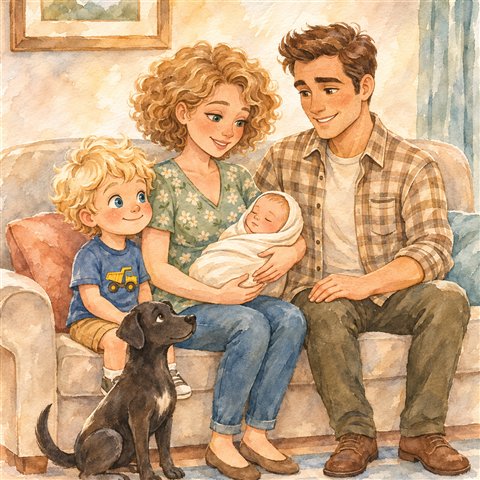
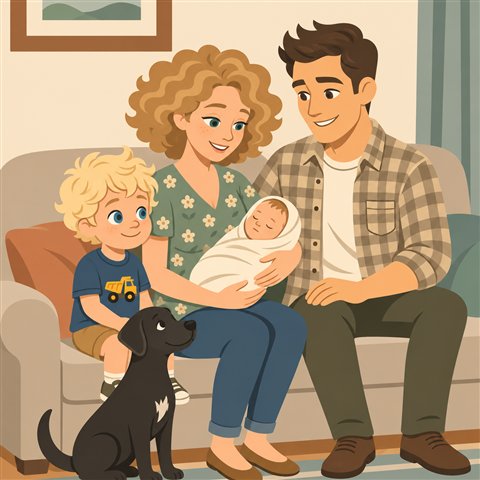
Write one brief and test it on two pages
Art-direction brief. Loose watercolor, softened edges and cool blue-green shadows. Keep faces clear, use a clean patch of background where the text sits, and reserve high contrast for the main action.
Test a close-up and a wide view. The character should remain recognizable, and the two pages should look like they came from the same book. If one style makes faces or lettering hard to read, decide that before producing the rest of the pages.
Match the cover to the interior
Use the same rendering approach, signature colors and character design on the cover. Give the title more space than an interior scene and check the cover at thumbnail size.
See an actual cover beside its first spread. Explore more illustration examples.